HSTR
Bash and Zsh shell history suggest box - easily view, navigate and search your command history with shell history completion that's faster and more efficient than Ctrl-r.
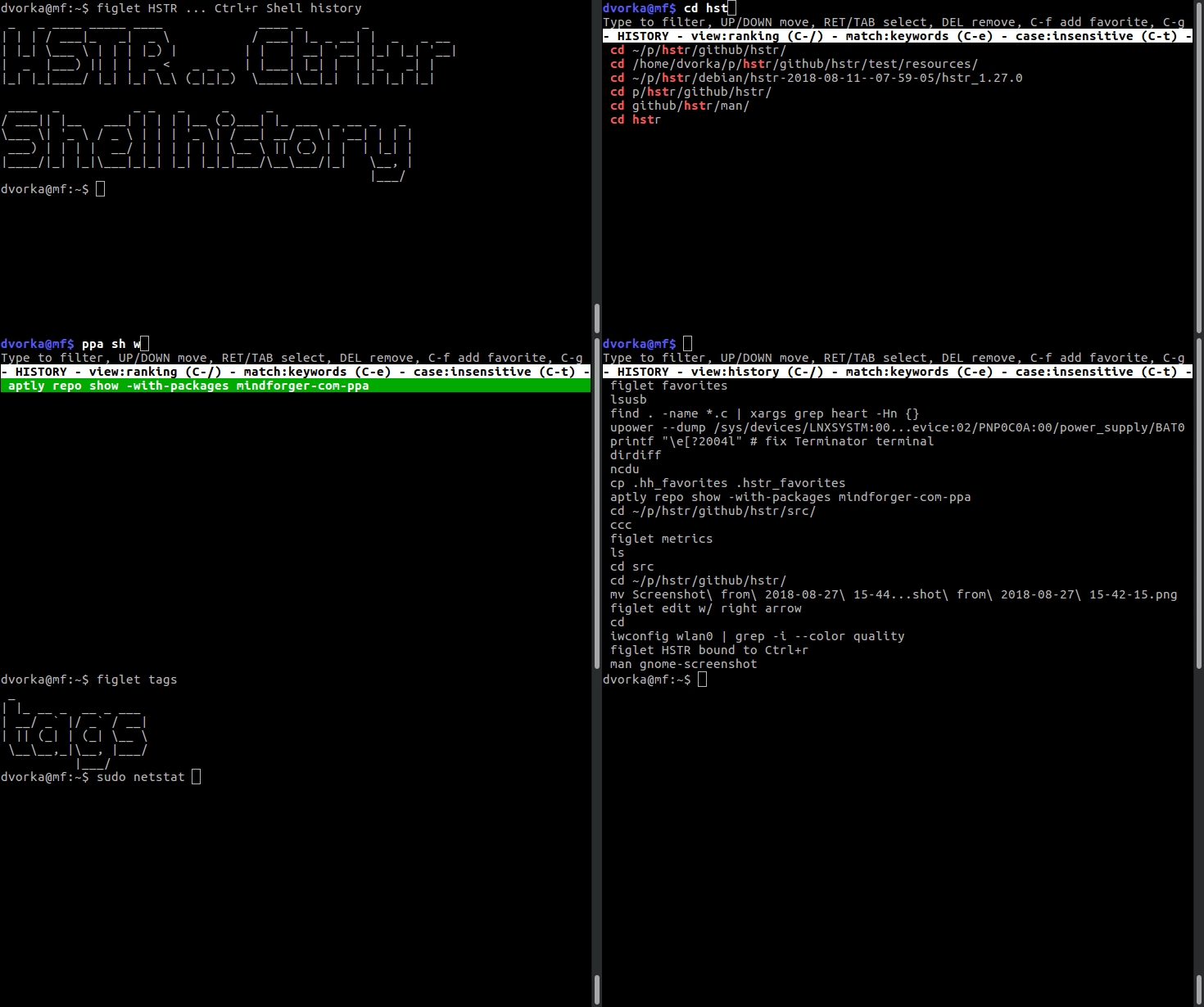
Bash and Zsh shell history suggest box - easily view, navigate and search your command history with shell history completion that's faster and more efficient than Ctrl-r.
Search your command history with keywords, regular expressions, or substring matching. HSTR provides multiple search modes to find exactly what you need, when you need it.
HSTR automatically ranks commands based on usage frequency and recency. Your most important commands are always at your fingertips.
Bookmark your favorite commands for instant access. Perfect for complex commands you use regularly but can't quite remember.
Delete obsolete commands or remove sensitive information from your history. Full control over your command history database.
Switch between ranked history, raw chronological view, and favorites. Each view is optimized for different workflows.
Works seamlessly with both bash and zsh. Easy configuration with automatic shell detection and setup scripts.
Search without worrying about capitalization. HSTR's intelligent case-insensitive search finds what you need regardless of how you type it.
Configure colors, prompt position, help visibility, and more. Make HSTR look and behave exactly how you want it.
Available on Linux, macOS, BSD, and more. Install via package managers or build from source on virtually any Unix-like system.
sudo apt install hstr
sudo dnf install hstr
brew install hstr
yaourt -S hstr-git
git clone https://github.com/dvorka/hstr.git

cd hstr/build/tarball

./tarball-automake.sh

cd ../..

./configure && make

sudo make install
# Bash

hstr --show-bash-configuration >> ~/.bashrc

source ~/.bashrc


# Zsh

hstr --show-zsh-configuration >> ~/.zshrc

source ~/.zshrc
Add comments to commands for easy searching:
docker run -it ubuntu bash # DDD
ssh -L 8080:localhost:3000 user@server # SSS
git log --graph --oneline # GGG
Just type "DDD" in HSTR to find your Docker commands instantly!
Prevent commands from being saved to history:
# Bash
export HISTCONTROL=ignorespace

# Zsh
setopt HIST_IGNORE_SPACE

# Now use a leading space:
secret-command --password=123Master HSTR with these shortcuts:
Ctrl-r     - Invoke HSTR
Ctrl-/     - Toggle views
Ctrl-f     - Add to favorites
Ctrl-t     - Toggle case sensitivity
Ctrl-e     - Edit command
DEL - Delete from historyConfigure HSTR to match your style:
export HSTR_CONFIG=hicolor,prompt-bottom

# Options include:
# - hicolor / monochromatic
# - prompt-bottom
# - hide-help
# - raw-history-view
# - favorites-viewStore more commands in your history:
export HISTFILESIZE=10000
export HISTSIZE=${HISTFILESIZE}
shopt -s histappendExclude commands from ranking view:
export HSTR_CONFIG=blacklist

# Create ~/.hstr_blacklist:
cd
ls
pwd
exitHSTR (HiSToRy) is a command line utility that brings improved bash/zsh command completion from the history. It aims to make completion easier and more efficient than the built-in Ctrl-r.
Are you looking for a command that you used recently? Do you want to avoid the need to write long commands over and over again? Are you looking for a tool that is able to manage your favorite commands? HSTR is the answer.
HSTR can also manage your command history - for instance you can remove commands that are obsolete or contain a piece of sensitive information, or bookmark your favorite commands.